
Delete Your RytePad Account
You can delete your RytePad account, and everything in it, yourself at any time. It takes about a minute. This page shows the steps and says exactly what is deleted and what is kept.
Contents
1. How to Delete Your Account
These steps work in any browser at rytepad.com/app, on a computer or a phone.
Open Account. Sign in, then click your name at the bottom left of the sidebar on a computer, or tap your initial at the top right on a phone.
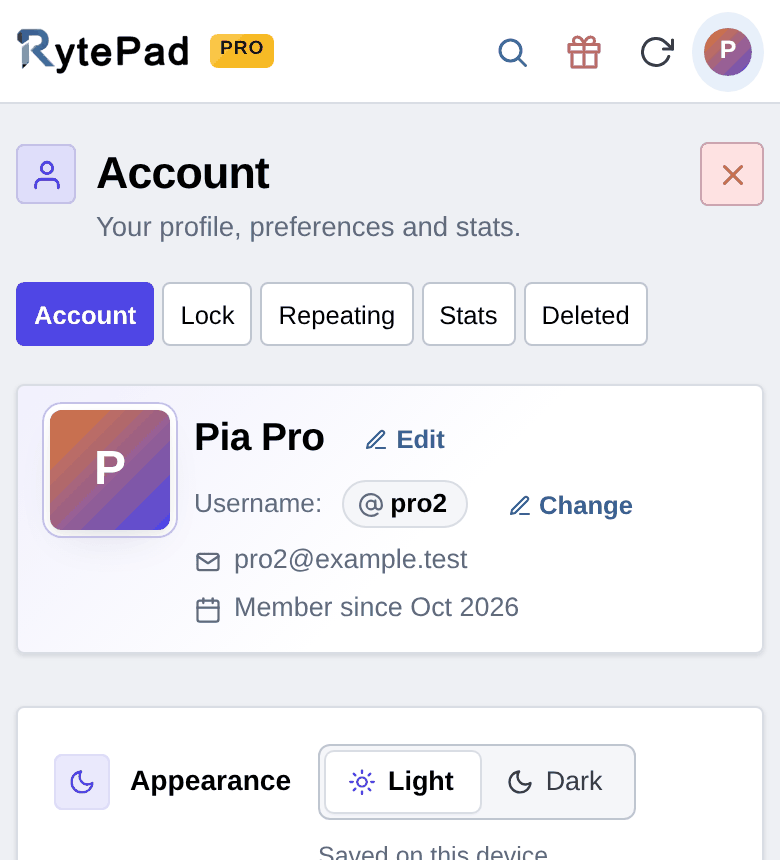
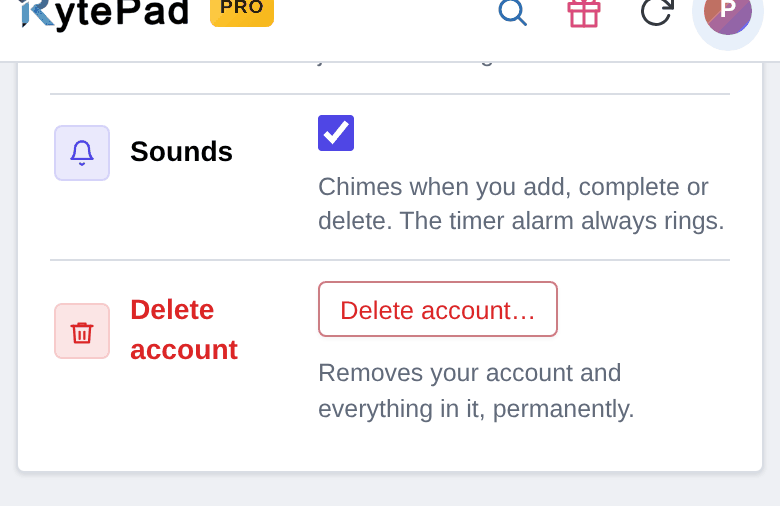
Find “Delete account”. Scroll down to Security & preferences and choose Delete account…
Confirm with the code. Choose Email me a confirmation code. We send a 6-digit code to your account's email address; it is valid for 15 minutes. Enter the code, tick the box to confirm, and choose Delete my account permanently.
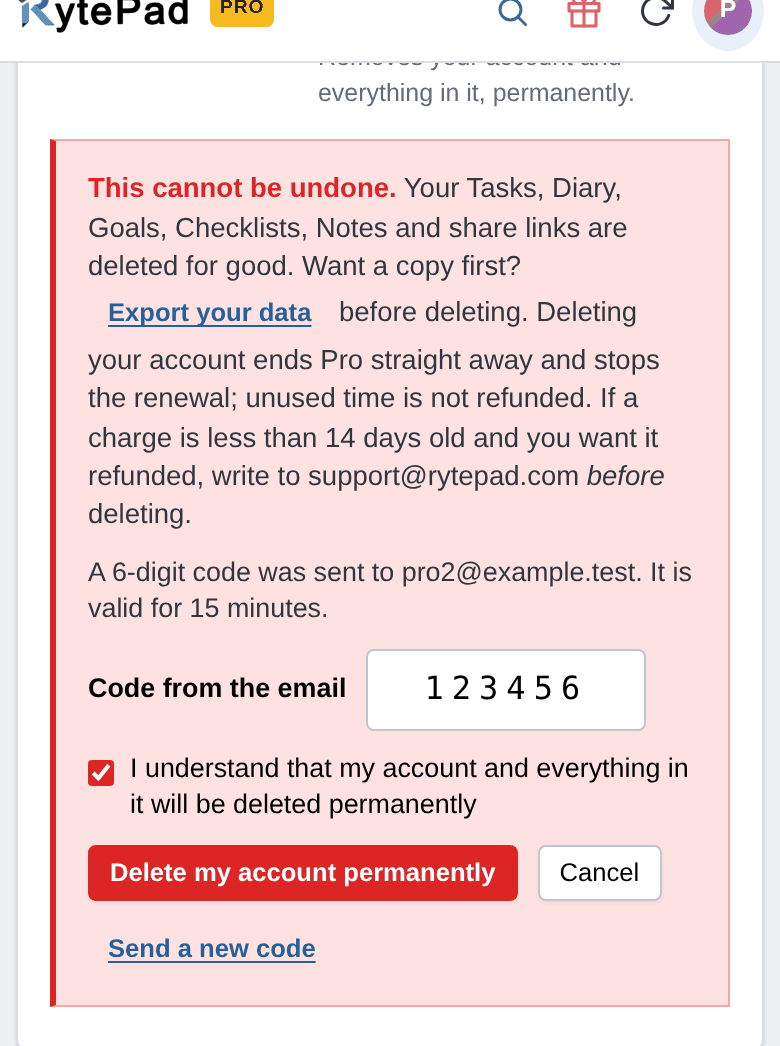
This cannot be undone. Your account is deleted straight away and you are signed out. There is no waiting period and no way to restore it.
2. If You Cannot Sign In
Email support@rytepad.com from the email address on your RytePad account and ask us to delete it. We need the request to come from that address so that nobody else can delete your account. If you have only forgotten your password, you can reset it first and then follow the steps above.
3. What Is Deleted
Deleting your account permanently removes:
- Your tasks, diary entries, goals, checklists and notes, including anything in Recently Deleted
- Your share links, so shared notes and checklists stop opening
- Your repeating tasks, reminders and email preferences
- Your name, email address, username and password
- Your sign-in records and the record of emails we sent you
- Your referral settings
4. What Is Kept
If you paid for RytePad Pro, we keep the payment records (amount, date and transaction reference) because tax and accounting law requires it. Your email address is removed from those records when the account is deleted. The same applies to referral commission records. Paddle, our payment partner, keeps its own records of payments under its own privacy policy.
Our server log files (such as error and sign-in logs) can still mention the account for a short time. They are archived when they reach 5 MB, and archives are deleted after 60 days, as our Privacy Policy describes.
Nothing else from your account is kept.
5. Before You Delete
- Want a copy? Under Account → Your data you can export everything you wrote as one zip file. Do this first; it is not possible afterwards.
- On RytePad Pro? Deleting your account ends Pro straight away and stops the renewal. Unused time is not refunded. If a charge is less than 14 days old and you want it refunded, write to support@rytepad.com before you delete. See our Refund Policy.
6. Deleting Only Some of Your Data
You do not have to delete your account to remove things. Any task, diary entry, goal, checklist or note can be deleted on its own. Deleted items stay in Recently Deleted for 1 hour on the free plan or 48 hours on Pro, in case of a mistake, and are then erased for good. Delete now in Recently Deleted erases an item immediately.
7. Contact
Questions about deleting your account or your data: support@rytepad.com or our Contact Us page. Our Privacy Policy explains how we handle your data.
MarkSurge Marketing Minds Private Limited
4-147, IDA Bollaram, Hyderabad, Telangana, India - 502325
Email: contact@marksurge.com