
Titled notes with a tall editor that saves as you work. Keep recipes, ideas and references, and share a note with a link when you want to.
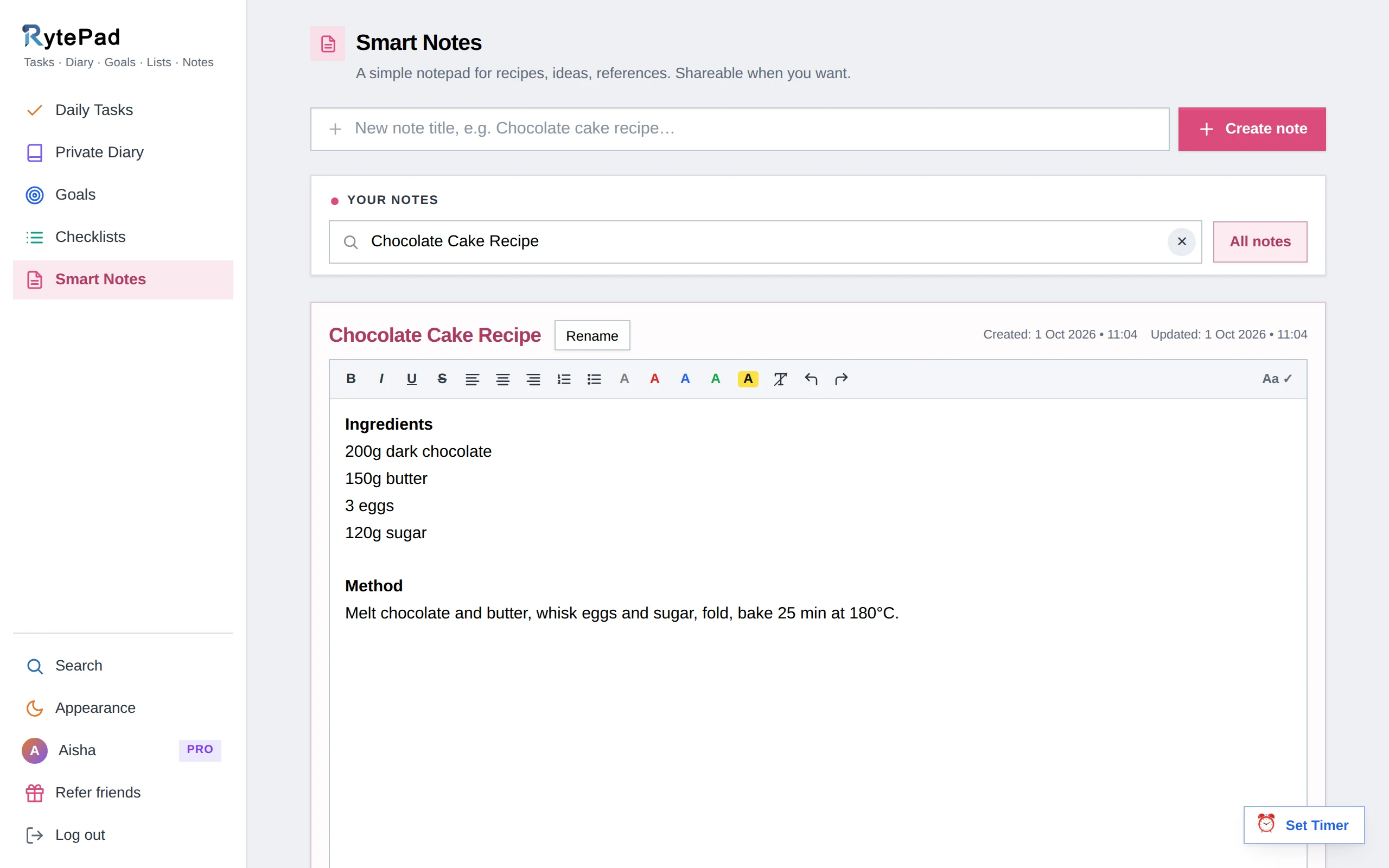
Some things aren't tasks and aren't diary entries: a recipe, the notes from a call, a list of books, the measurements for the kitchen. Smart notes is the place for them. Each note has a title, a roomy editor with the diary's formatting toolbar, and a Share button for the moments when someone else needs to read it.
Notes save every 10 seconds while you type, when you leave the note and whenever you click Save, so you can close the tab without thinking about it.
Type a title (up to 40 characters) and press Enter. It opens straight away.
Up to 40,000 characters, with bold, italic, headings, lists, colours, highlights and links. A counter keeps track. Save happens every 10 seconds, on leaving, and with the Save button.
Click Share. A snapshot link shows the note as it is now; a live link always shows the latest saved version. Readers get a view-only page and need no account.
Notes show as cards under Your notes; filter by title with the search box, or use Search to find a note by a word inside it.
If you keep a note per recipe, per project and per idea, ten fills up. Pro removes the limit, along with unlimited checklists and timers, carry-over and monthly goals. $14.97 a year.
See what Pro includesAnyone with the link, read-only. Nobody needs an account. Notes you don't share are visible only to you.
A snapshot shows the note exactly as it was when you created the link. A live link always shows the latest saved version.
No. Shared pages are view-only, and deleting the note switches both kinds of link off.
10 on the free plan, unlimited on Pro. A note can hold 40,000 characters and its title 40.
Five tools, one login, one search across all of them. The pricing page has the Free vs Pro table.
Free, private, and ready in under a minute. No card, no time limit.