
A checklist maker for everything that isn't tied to a date
Groceries, packing, project steps, ideas for a trip. Make a list once, tick it off, restore the items and use it again.
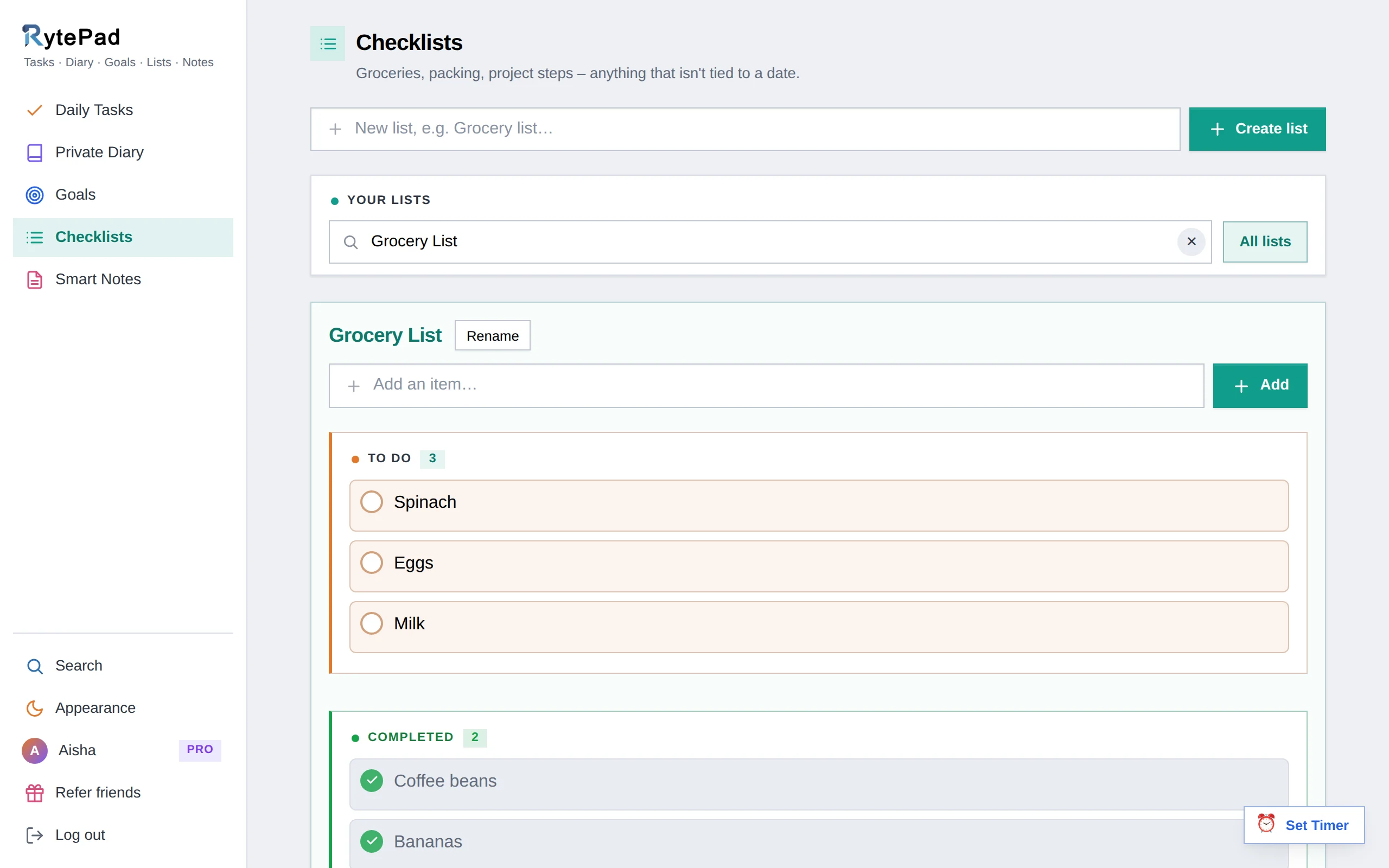
Daily tasks answer "what am I doing today?". Checklists answer everything else: what to buy, what to pack, which steps a project needs, which books to read. They have no date, so they don't clutter your day, and they don't disappear when the day is over.
Each checklist works like a small to-do list of its own, with To do and Completed sections and counts, and restoring the completed items turns last week's grocery list into this week's.
Make it once, use it again
Create a list
Type a name (up to 40 characters) into the box and press Enter. It opens immediately.
Add items
Type into Add an item and press Enter. Items can be 500 characters (1,000 on Pro); a free list holds 25 of them.
Tick, star, rearrange
Exactly like daily tasks: the circle completes, the star marks, Rearrange orders, the pencil edits, the arrow restores and the bin deletes.
Find it again
Your lists show as cards under Your lists. Type in the search box to filter them by name; All lists takes you back.
What you can do with checklists
- Reuse a list. Restore the completed items and the list is ready for next time.
- Rename or delete. Rename sits next to the title; Delete list removes it with all its items.
- Star and rearrange. Mark the items that matter and drag the list into order, like tasks.
- See when it changed. Created and updated dates sit under each list.
- Search across all lists. Search finds items in any list and opens the right one.
- Keep 10 lists free. With 25 items each, or as many as you like on Pro.
- Use it on a phone. Cards and big touch targets. A grocery list in the shop, a packing list by the suitcase.
Unlimited checklists and items
Ten lists of twenty-five cover most people. If you keep one per project, per trip and per recurring errand, Pro removes both limits, along with unlimited notes and timers, carry-over and monthly goals. $14.97 a year.
See what Pro includesWays people use it
Questions about checklists
How many checklists can I have?
10 on the free plan, with 25 items each; unlimited on Pro. A list name can be up to 40 characters and each item 500 (1,000 on Pro).
What's the difference between a checklist and daily tasks?
Daily tasks belong to a date. Checklists have no date and stay as long as you keep them, which makes them reusable.
Can I use a list again after finishing it?
Yes. Restore the completed items with the arrow button and the list is back to To do.
Can I share a checklist?
Not at the moment. Sharing by link is available for notes; checklists stay private to your account.
The rest of RytePad
Five tools, one login, one search across all of them. The pricing page has the Free vs Pro table.
Make the first list
Free, private, and ready in under a minute. No card, no time limit.