
Daily tasks
A list for each day, with a progress bar and a streak. Star what matters, drag the list into your order, plan ahead or look back at any date. Unfinished tasks can carry over to tomorrow.Pro
Explore the to-do listStop juggling five apps
Plan your day in minutes! RytePad combines daily to-dos, a private diary, goal tracking and smart notes in one secure, all-in-one platform.
Loved by thousands of organized users
Five simple tools that share one search, one login and one design, so nothing gets lost between apps.
A list for each day, with a progress bar and a streak. Star what matters, drag the list into your order, plan ahead or look back at any date. Unfinished tasks can carry over to tomorrow.Pro
Explore the to-do listTimestamped entries with light formatting, a writing streak, and one click to read everything you have ever written, newest first. Encrypted, readable by nobody but you, and on Pro behind a PIN if you want one.
Explore the private diaryLong-term goals you can see every day, and month-by-month targetsPro for the near future. Achieved goals stay as a record of what you've done.
Explore the goal trackerGroceries, packing, project steps, ideas for a trip: anything that isn't tied to a date. Reusable, editable, searchable, and easy to reorder.
Explore the checklist makerA clean notepad with titles, formatting and auto-save, with room for long notes. Share a note as a fixed snapshot, or as a live link that always shows the latest version.
Explore the online notepadLight, quick and quiet. Each area has its own colour, so you always know where you are.
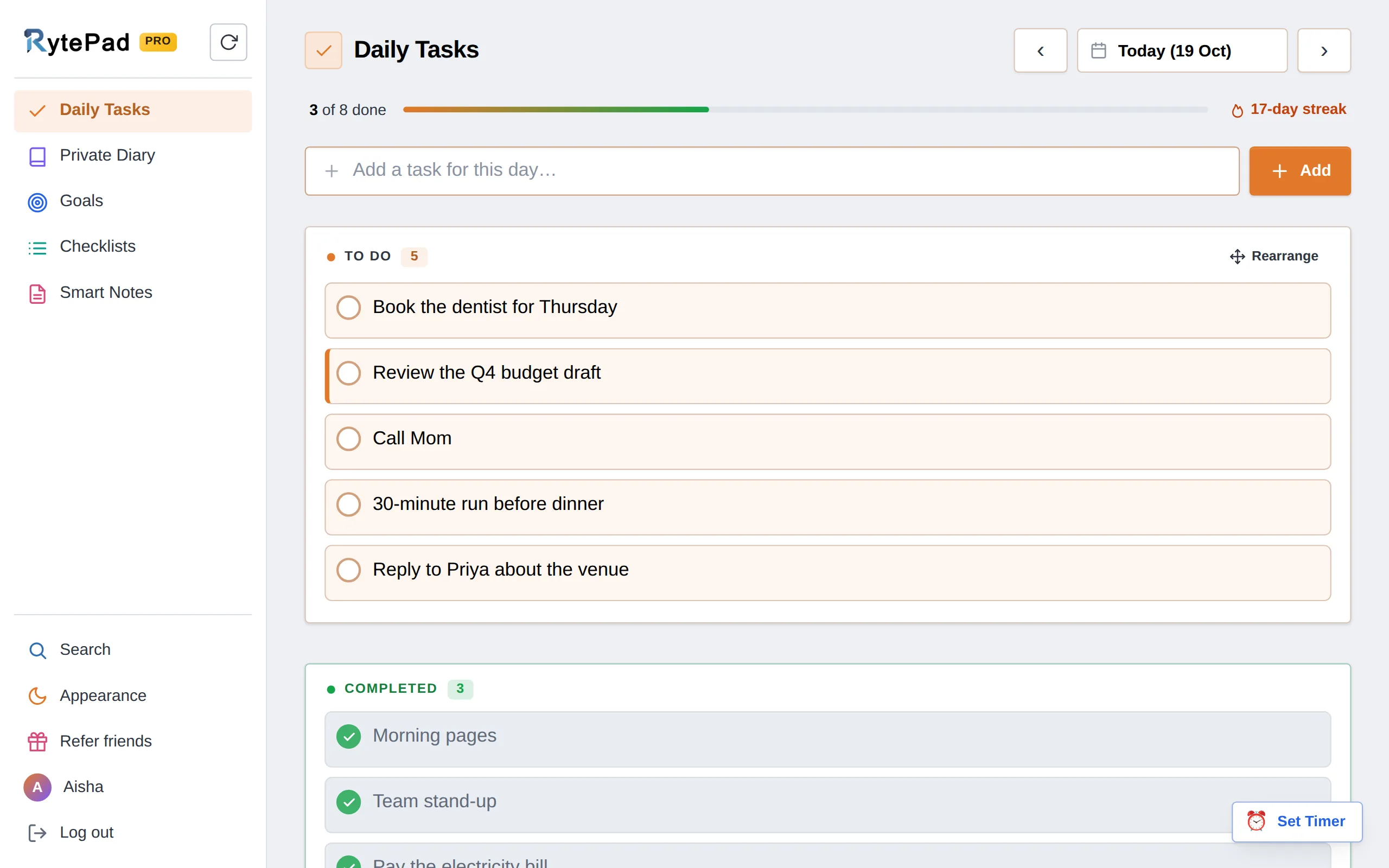
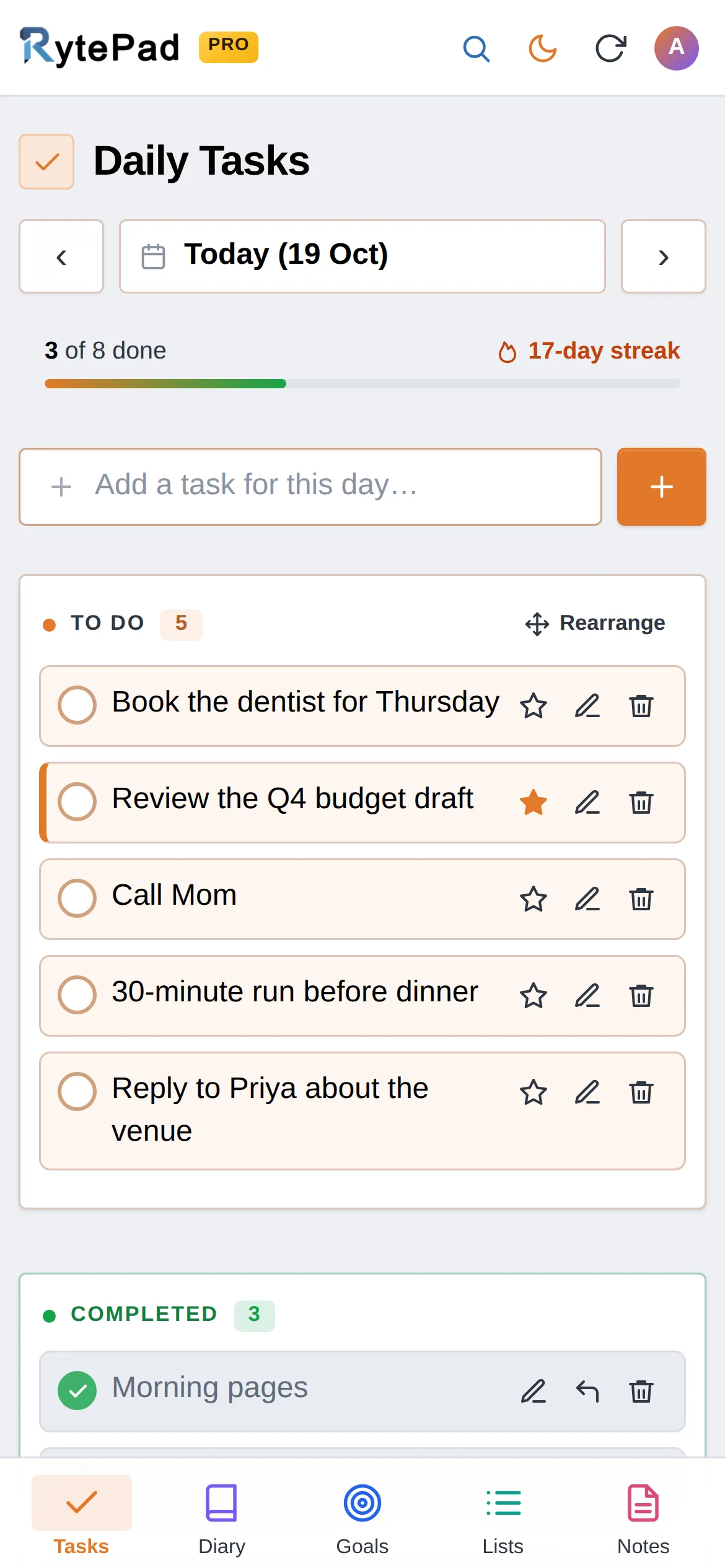
Today's list with a progress bar and your streak. A star marks what matters most, Rearrange lets you drag the list into order, and completed tasks stay below, still editable.
Entries for the day with a roomy editor underneath, your recent days as dots next to your writing streak (click one to open that day), and "View all entries" to read everything you have written, newest first.
Long-term goals in progress, achieved ones below. Monthly goals sit on the second tab (Pro).
Your checklists as cards. Open one and it works like a to-do list, with its own to-do and completed sections.
A tall editor that saves as you type, with formatting, a character count and one-click sharing.
Results grouped by day or list, newest first, split into pending and completed. Click any result to open it.
One tap switches to dark mode. RytePad remembers the choice on that device.
More than just another productivity app. RytePad is designed to help you build sustainable habits that improve both your performance and your well-being.
Start using it in under a minute. No card needed.
Small details that make the difference between an app you try and an app you keep.
Progress and streaks"3 of 8 done", a day streak that lights up with your first completed task, and a writing streak for the diary.
Mark what matters, in your orderA star gives a task, goal or item a coloured edge so it stands out. Rearrange drags any list into the order you want.
A focus timer that rings on timeSet 25 minutes and get on with it. The alarm is scheduled precisely, even with the tab in the background.
Email reminders"Still pending today: 4 tasks" at 6:30 PM, a 6:30 AM heads-up for tasks you planned ahead, and a nudge if you've been away. Each one is a switch in your account.
Fast to useEnter adds, Esc cancels, one click completes. Completed items can still be edited, and hovering over a task shows when you added or finished it.
Made for phones tooBottom navigation, big touch targets and the same account everywhere. Add it to your home screen for one-tap access.
Built so that what you write stays yours.
Everything is encrypted before it reaches the database and decrypted only for you, when you're logged in. A copy of the database shows nothing readable.
U2FsdGVkX1+4Qx3n…9aG7v/Lk2m0rZw== · AES-256-CBC
Both plans get the full privacy protection, every device and every core feature. Pro removes the limits.
| What you get | Free $0 forever No card, no time limit. |
Pro Most popular $14.97 per year About $1.25 a month, billed once a year. Cancel any time. |
|---|---|---|
| Tasks a day | 25 | Unlimited |
| Diary entries a day | 4 | Unlimited |
| Goals | 40 long-term | Unlimitedplus monthly goals |
| Checklists and notes | 10 each | Unlimited |
| Characters per task or item | 500 | 1,000 |
| Carry-over to tomorrow | Automatic | |
| Focus timers | 5 a day | Unlimited |
| Export search results | As a text file | |
| Section lock (4-digit PIN) | Daily Tasks | Every section |
| Export all your data | One zip | One zip |
| Create free account | Upgrade to Pro |
Secure checkout by Paddle. Pro is active the moment the payment goes through, you get a reminder before each renewal, and nothing you created is ever deleted if you stop. Pro also brings priority support and new features first.
Practical guides and honest comparisons for planning your days, keeping a diary and building habits.
Yes. The free plan has no time limit and no card required.
It includes 25 tasks a day, 4 diary entries a day, 40 long-term goals, 10 checklists, 10 notes, 500 characters per task or item, search across everything, email reminders, a PIN lock for Daily Tasks and an export of everything you wrote.
Pro ($14.97 a year) removes those limits and adds monthly goals, automatic carry-over of unfinished tasks, 1,000 characters per task or item, the PIN lock on every section, unlimited focus timers and text exports.
Your entries, tasks, goals, list items and notes are encrypted with AES-256-CBC before they are stored and sent only over HTTPS.
There is no admin screen that can display your content. Only you, logged in, can read what you wrote.
On a shared computer or a phone that gets picked up, you can also put a 4-digit PIN in front of a section: Daily Tasks on the free plan, the diary and every other section on Pro. It locks again each time the app is opened and, if you switch the auto-lock on, after a while without activity.
RytePad is a web app, so it works in any modern browser on phones, tablets and computers, with nothing to install.
On a phone you get bottom navigation and larger controls. Add rytepad.com to your home screen for one-tap access.
They stay on their day, so you can always see what was planned, and the evening reminder lists what is still pending.
Pro users can switch on carry-over: at midnight, anything still pending is copied to the next day, marked D2, D3 and so on, for up to ten days.
Yes, all of it, on every plan. Account → Your data downloads everything in your account as one zip: CSV files for tasks, goals and checklists, a text file per diary day and per note, and one JSON with everything, protected with a password you choose if you like.
Search results can also be exported as a text file on the Pro plan, and shared notes opened as a page you can save or print.
And you can delete anything, or the whole account, from the Account page. Deletion is immediate and permanent.
Open Upgrade in the app (the button in the sidebar, or Account → Your plan) and pay through Paddle, our payment partner. Pro is active the moment the payment goes through.
Pro renews once a year. Switch auto-renew off any time under Account → Your plan and Pro simply runs to the end of the year you paid for.
Not satisfied? Write to support within 14 days of a charge and it is refunded in full.
Yes. Open a note and choose Share: a snapshot link shows the note as it is right now, a live link always shows the latest saved version.
Delete the note and both links stop working.
One place for the day you're having and the year you're building. Free, private and ready in under a minute.


