
Evernote vs Notion (2026): Which Should You Actually Use?
One is the classic note-capture archive; the other is a build-anything workspace. They solve different problems, so "which is better" depends entirely on you. Compared fairly, plus a simpler third option worth knowing.
Choose Evernote if you mainly capture and retrieve information: its web clipper, document scanning and search are still the best. Choose Notion if you want to build flexible systems, docs and databases, especially with a team, and it has by far the more usable free plan. If both feel like too much and you just want to plan your day, take notes and journal, RytePad is the ready-made, encrypted alternative.
 By RytePad StaffUpdated
Evernote and Notion get compared constantly, but they were built for opposite jobs. Evernote is a capture machine: clip a web page, scan a receipt, snap a note, find it later with powerful search. Notion is a construction kit: pages, databases and templates you assemble into wikis, trackers and dashboards. Picking between them is really about whether you want to collect information or structure it.
If neither fits, our ranking of the best note-taking apps compares eight more.
At a glance
Evernote
Best if you capture and search a big library of notes, web clips and scanned documents.
- Best-in-class web clipper, scanning and OCR search
- Free plan: 50 notes, 1 notebook, 1 device
- Starter $99 a year; Advanced $249.99 a year
NotionMore versatile
Best if you want to build custom docs, databases and team wikis exactly the way you want.
- Databases, relations, templates, wikis
- Free plan is generous for individuals
- Plus about $10 per user a month, billed yearly
Feature by feature
Four areas decide this comparison. Each one names a winner.
1Capture and search
This is Evernote's core strength. Its web clipper is the best in the business, it scans documents and business cards, runs OCR so you can search text inside images, and its full-text search across a large archive is fast and reliable. For hoarding and retrieving information, nothing here beats it.
Notion can save content too, and has a web clipper, but capture is not its focus, and searching a big, deeply nested workspace is less snappy. If your life is about collecting reference material, Evernote leads clearly.
2Structure and flexibility
Evernote is notebook-and-tag based. That is simple and fast, but rigid: you cannot turn notes into interlinked databases or custom dashboards.
Notion is in a different league here. Its databases, relations, templates and flexible pages let you build almost anything: a CRM, a content calendar, a habit tracker, a company wiki. It is a workspace, not just a notebook.
3Collaboration and teams
Evernote offers note sharing and some shared spaces, but it is primarily a personal tool and its collaboration features are far lighter.
Notion is built for collaboration: shared workspaces, real-time editing, comments, permissions and team wikis. Many companies run their entire knowledge base on it.
4Free plans and pricing
Evernote's free plan is now one of the most restrictive around: 50 notes, one notebook and sync on one device, which pushes most people to pay. Starter costs $99 a year and Advanced $249.99 a year.
Notion's free plan is generous for individuals, with unlimited pages and blocks for personal use. Paid plans are aimed at teams: Plus is about $10 per user a month billed yearly.
Evernote vs Notion: comparison table
| Feature | Evernote | Notion |
|---|---|---|
| Web clipper | ✓Best in class | Basic |
| Document scanning + OCR | ✓ | ✗ |
| Full-text search at scale | ✓Excellent | Good, can lag |
| Databases and relations | ✗ | ✓Best in class |
| Templates ecosystem | Limited | ✓Huge |
| Team collaboration / wikis | Light | ✓Excellent |
| Free plan | ✗50 notes, 1 device | ✓Generous for individuals |
| Learning curve | ✓Easy | Steeper |
| Setup required | ✓Minimal | ✗Build it yourself |
| Journaling / goals built in | ✗ | DIY |
| Native apps + offline | ✓ | ✓ |
| Paid from | Starter $99 a year | Plus about $10 per user a month |
Published prices at the time of writing. Evernote restructured its plans in late 2025; Starter and Advanced replaced Personal and Professional.
Pricing at a glance
Both are freemium. Notion is free for personal use with unlimited pages, and team plans run about $10 per user a month. Evernote gives away far less on free, and its paid plans are Starter at $99 a year (1,000 notes, three devices) and Advanced at $249.99 a year. Notion is the better free option for individuals; once you pay, you pay Notion for team power and Evernote for advanced capture.
What if both feel like too much?Third option
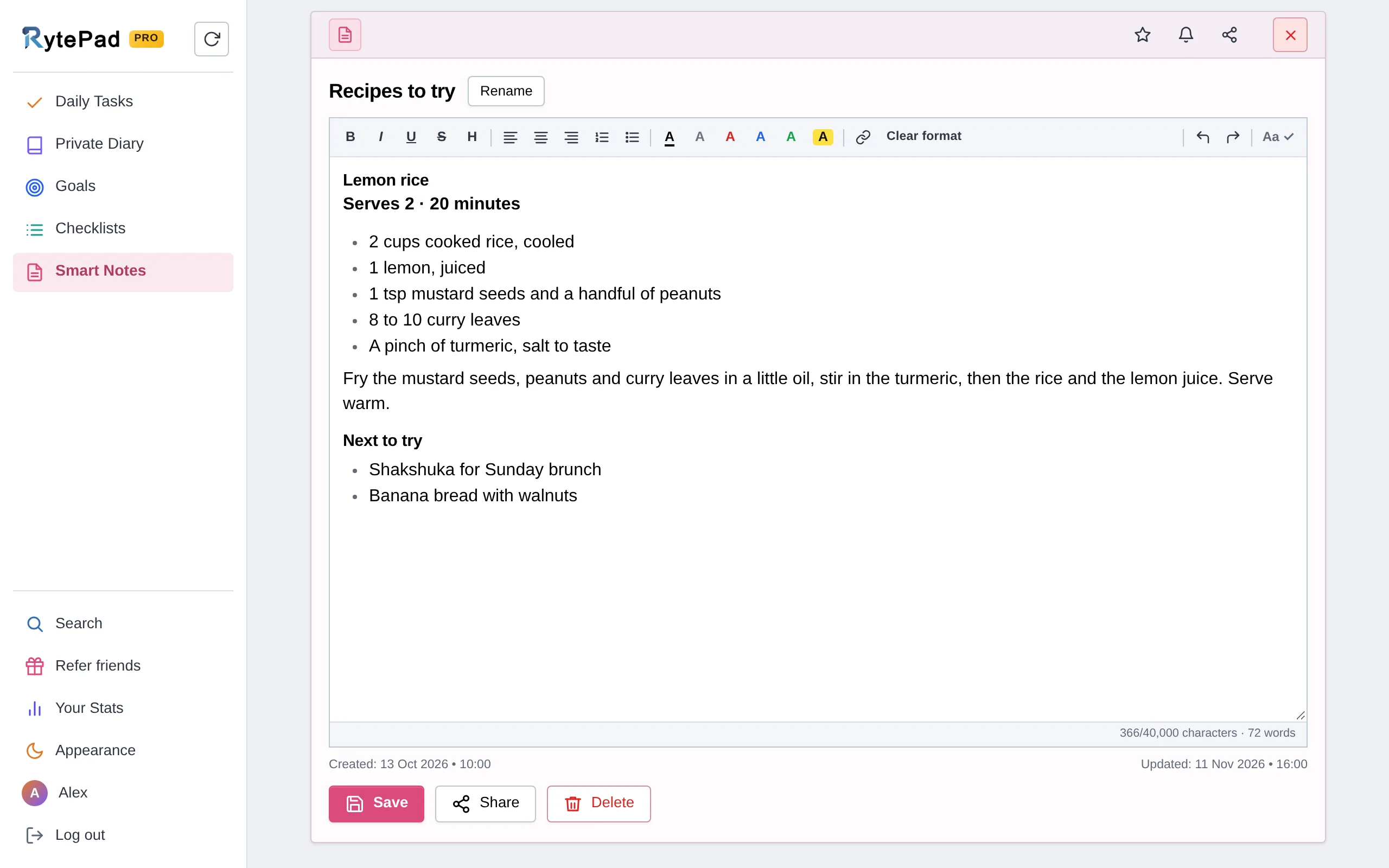
Here is a pattern worth naming: many people try Evernote or Notion to "get organised", then drown, Evernote in a cluttered note pile, Notion in endless setup. If what you actually want is to plan your day, jot notes, track goals and keep a journal, both can be overkill.
RytePad is the leaner answer. It gives you notes with shareable links, a daily task manager with free reminders, goal tracking, checklists and a private diary, all encrypted with AES-256 and ready the moment you sign in.
Being honest: it will not archive the web like Evernote or build custom databases like Notion; it is deliberately focused on personal daily use, not power capture or team wikis. We cover the trade-offs in RytePad vs Notion and RytePad vs Evernote.
Want simple instead of sprawling?
Notes, tasks, goals and a diary in one private, encrypted account. No setup, no clutter.
Pros and cons
Evernote
- Best-in-class web clipper
- Document scanning and OCR search
- Fast full-text search at scale
- Simple notebook-and-tag model
- Mature native apps with offline
- Free plan: 50 notes on one device
- Expensive paid tiers
- Rigid: no databases or dashboards
- Light collaboration
Notion
- Almost limitless flexibility
- Best-in-class databases and wikis
- Excellent team collaboration
- Generous free plan for individuals
- Huge template ecosystem
- Steeper learning curve
- You build and maintain the structure
- Capture and clipping are secondary
- Search can lag in big workspaces
Category scorecard
- Capture and searchClipper, scanning, OCR, deep search.Evernote wins
- Structure and flexibilityDatabases, relations, templates.Notion wins
- CollaborationShared workspaces, comments, wikis.Notion wins
- Free planUnlimited pages versus 50 notes.Notion wins
- Ease of useNotebooks and tags, nothing to build.Evernote wins
- Value for moneyFree for most individuals; cheaper paid tiers.Notion wins
Who should choose each
Choose Notion if…
you want to build custom databases and dashboards, collaborate with a team or run a wiki, value flexibility over out-of-the-box speed, want a generous free plan for personal use, and enjoy designing your own systems.
Visit NotionChoose Evernote if…
you clip web pages and articles constantly, scan documents and receipts, need to search text inside images, keep a large reference archive, and want simple capture with no system-building.
Visit EvernoteKeep reading: See the full Notion alternatives guide, or compare RytePad vs Notion and RytePad vs Evernote. Looking for focused tools? Explore the best online notepads and best free to-do list apps.
Evernote vs Notion: your questions answered
Is Evernote or Notion better?
They are built for different jobs. Evernote is better for capturing and searching information: web clips, scanned documents and a large note archive. Notion is better for building flexible systems, databases, docs and team wikis. For most modern, versatile use, Notion wins; for pure capture, Evernote does.
Can Notion replace Evernote?
Partly. Notion can store notes and clip web pages, but it lacks Evernote's document scanning, OCR and best-in-class clipper, and searching a big Notion workspace is slower. If capture is your priority, Notion is a downgrade; if flexibility is, it is an upgrade.
Which has a better free plan, Evernote or Notion?
Notion, clearly. Its free personal plan offers unlimited pages and blocks, while Evernote's free plan is limited to 50 notes, one notebook and one device, which pushes most people to pay.
Which is easier to use?
Evernote. It is notebook-and-tag simple with almost no setup. Notion is more powerful but has a steeper learning curve because you build your own structure. If you want something ready-made and simple, a focused app like RytePad is easier than both.
Is there a simpler alternative to both?
Yes. If you mainly want to plan your day, take notes, track goals and journal, RytePad gives you all of that ready-made and encrypted, without Evernote's clutter or Notion's setup. It is not built for heavy capture or team wikis, but it is simpler for everyday personal use.
Can I move my notes between Evernote and Notion?
Notion offers an Evernote importer that brings notes across reasonably well, and Evernote can export as ENEX or HTML. Formatting and attachments do not always transfer perfectly, so expect to tidy up after importing a large library.
Final verdict
It comes down to capture versus construction. Evernote wins for collecting and finding information: its clipper, scanning and search are still the best. Notion wins for building and collaborating, with unmatched flexibility and a far more usable free plan. For most people today, Notion is the more versatile choice; for dedicated archivists, Evernote holds on. And if both feel like more than you need, RytePad is the simpler, ready-made option for planning, notes, goals and journaling, just not for power capture or team wikis.
Notes, tasks, goals and a diary, without the sprawl
One private, encrypted account that is ready the moment you sign in. Free to start.
Try RytePad free →Free plan with no time limit · No card · Works in any browser